Quick Start Guide
UserFrosting is a free, open-source jumping-off point for building user-centered web applications with PHP and Javascript. It comes with a sleek, modern interface, basic user account features, and an administrative user management system - all fully functioning out of the box.
Important
This is the documentation for UserFrosting 6. If you are looking for documentation for UserFrosting 5, click here.
This quick start guide is aimed at experienced PHP developers who already have a development environment set up. If that's not your case, head over to the First Chapter to start your journey.
Requirements
Tip
Using Docker? Check out the Docker Documentation to install UserFrosting through its native Docker integration.
UserFrosting has a few system requirements. You need to make sure your local UserFrosting development environment meets the following requirements:
- PHP 8.1 or higher (8.5 recommended)
- Composer 2
- Node.js 18.0 or higher (24 LTS recommended)
- npm 9.0 or higher
Installing UserFrosting
Use Composer to create a new project with the latest version of UserFrosting into a UserFrosting folder. This will clone the skeleton repository and run the installation process.
composer create-project userfrosting/userfrosting UserFrosting "^6.0-beta"
Tip
During installation, you can choose SQLite as the database provider if you don't have a database server available.
If any dependencies are not met, an error will occur. Simply try again after fixing the error, or manually run composer install and php bakery bake from the installation directory. For more information about the bake command, see the Bakery CLI chapter.
At this point, you can run the application locally using the PHP and Vite development servers. First, change to the project directory:
cd UserFrosting
Now, in two separate terminals, run each server simultaneously:
First Terminal:
php bakery serve
Second Terminal:
npm run vite:dev
You can now access UserFrosting at: http://localhost:8080
Visit Your Website
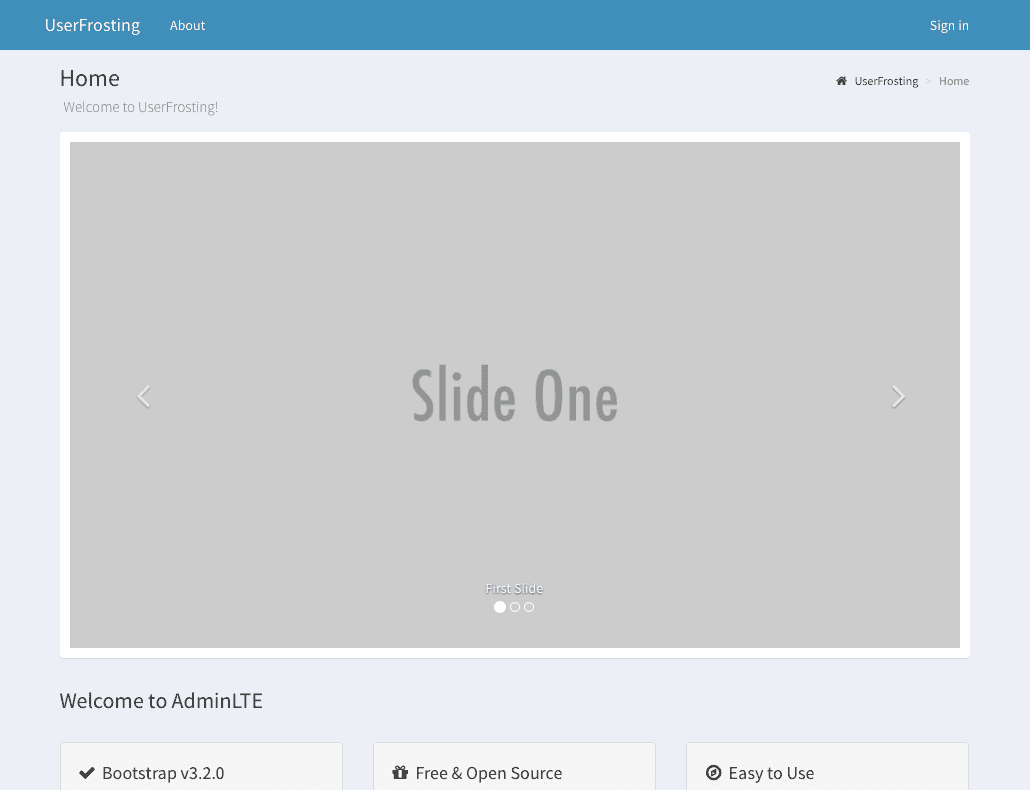
At this point, you should be able to access your application. You should see the default front page:
What's Next
For more detailed information about installing UserFrosting, or if you need help with the basic setup requirements, check out the Installation Chapter. Otherwise, head over to the Sprinkles Chapter to learn about UserFrosting's modular architecture.